Golf Ball Tracer — the free golf shot tracerMake Golf Channel quality videos.
Tap impact, apex, landing — then add broadcast-quality overlays: a scoreboard, a live course-map flight path, and launch-monitor stats. Export sized for Reels, TikTok, or YouTube. Built by Randolph Schilke. Free forever.
No ads. No subscriptions. No in-app purchases. Ever. ▶ See it in action
Your shot, broadcast style
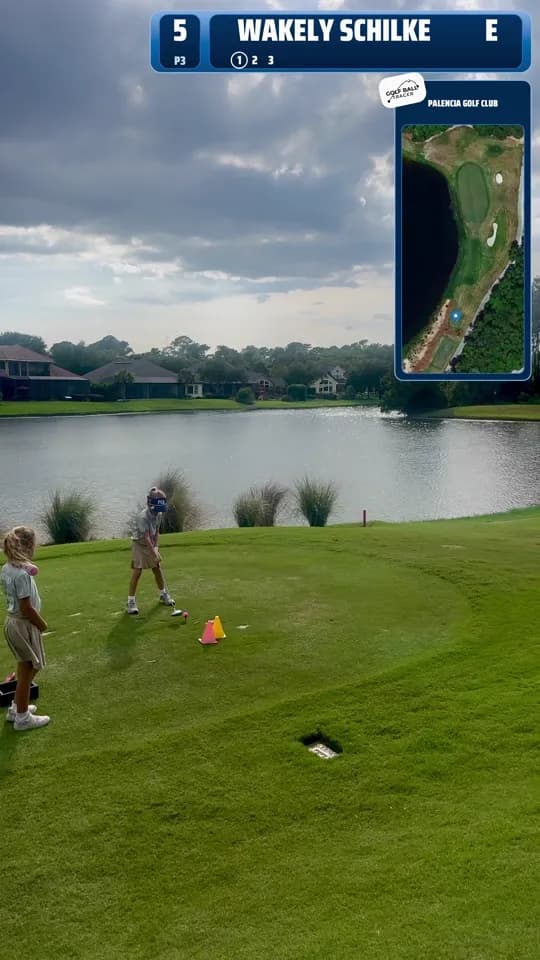
The same overlays you see on a Golf Channel broadcast — scoreboard, course map, ball-data card, flight callouts, and a scorecard — baked right into your export.
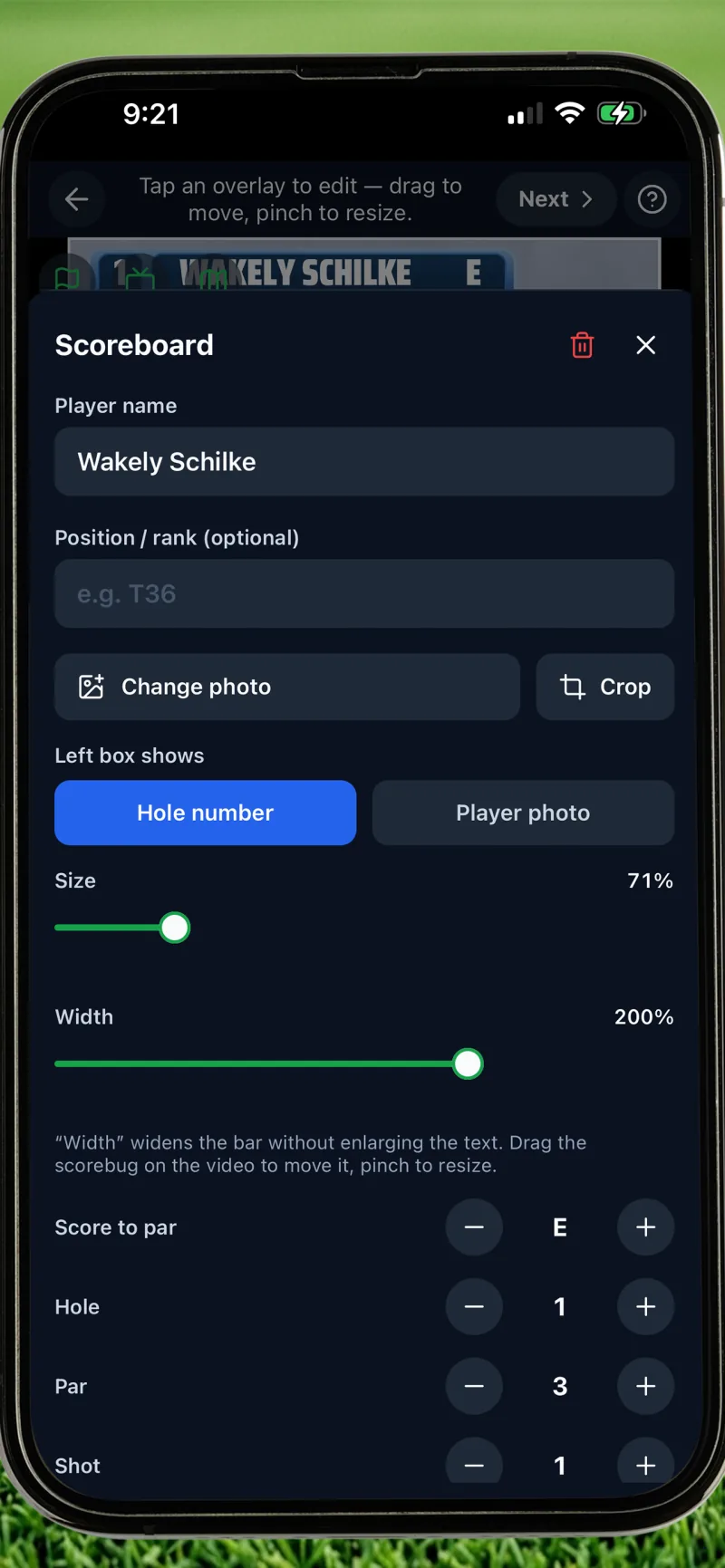
Broadcast scoreboard
A Tour-style scorebug with your name on it.
- Circle-cropped player photo with zoom and focus controls
- Name plus color-coded score to par, hole, par, and stroke count
- Optional rank and yardage, any accent color
- Drag it anywhere, resize it to taste — it bakes into the export
Course map flight path
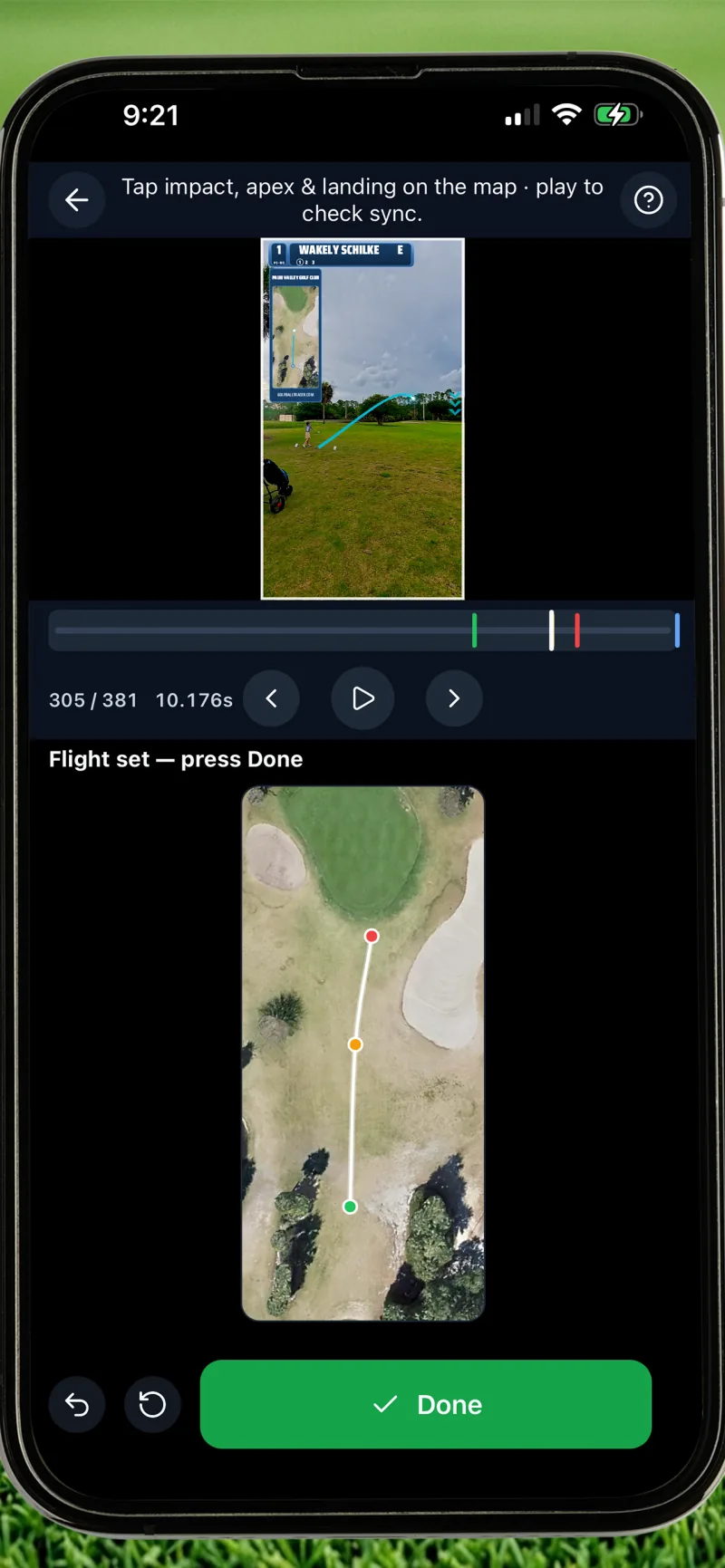
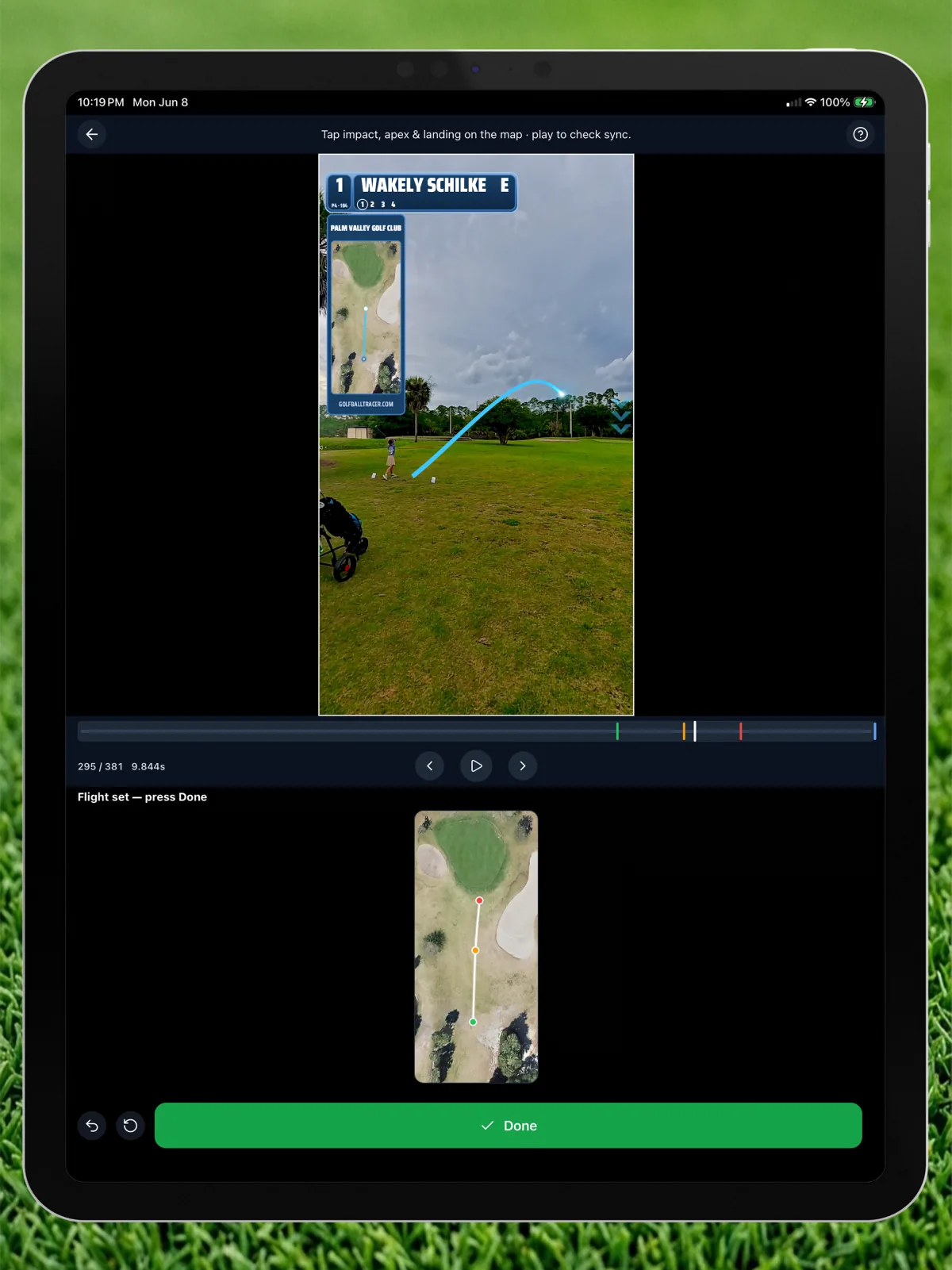
A satellite panel of the hole — with your ball flying across it.
- Bird's-eye satellite view of the hole you're playing
- A pulsating ball marker traces your shot on the map, in sync with the video
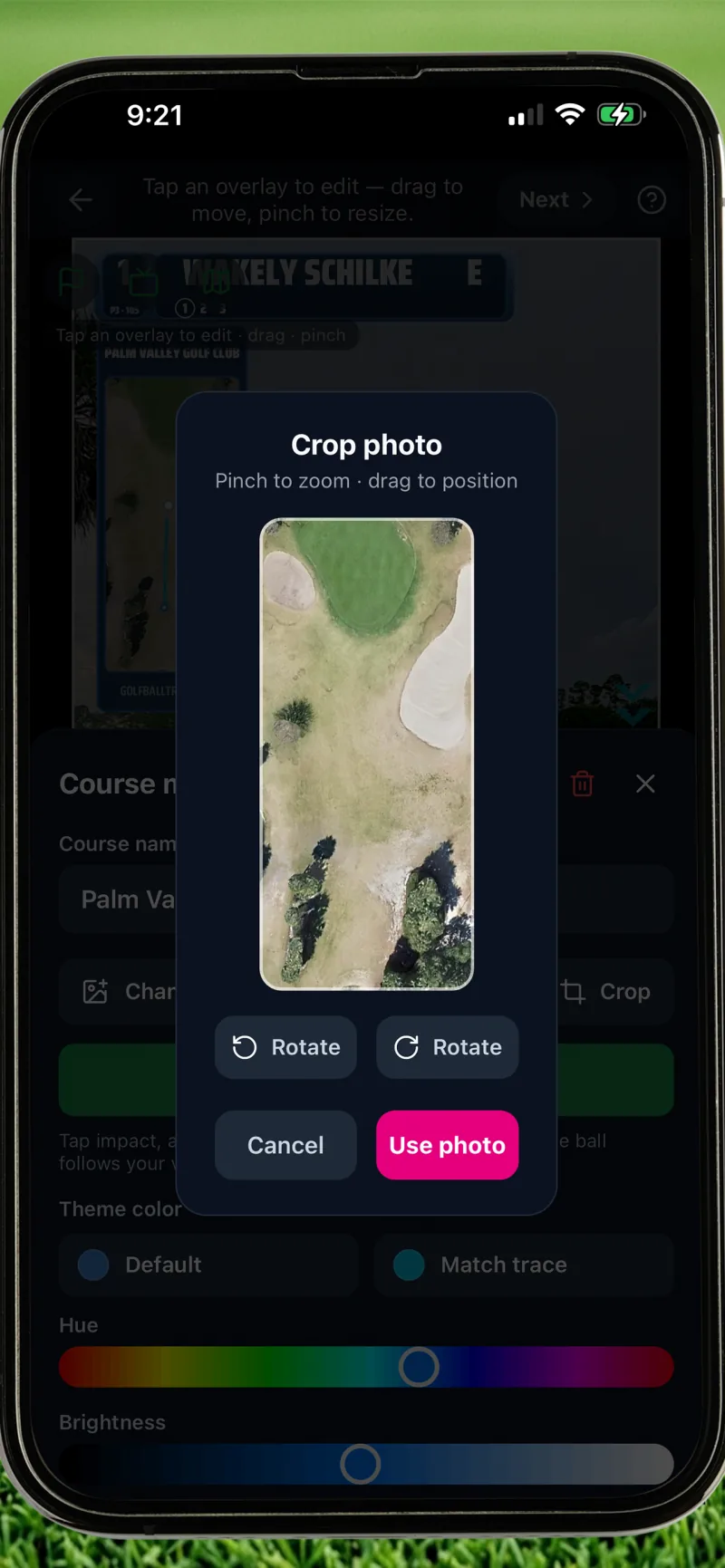
- Crop, rotate, and theme it — hue, brightness, or match your trace color
- Course name and hole info displayed broadcast-style
Three more ways to dress up your export
Ball Data card
A draggable launch-monitor card that pops in at impact: ball speed (mph or km/h), launch angle, spin rate, apex height, carry, and smash factor. You enter the numbers; it renders broadcast-clean.
Flight Callouts
Pin up to three stat badges right on the trace, each with a leader line and arrowhead — strike stats at impact, apex height at the top, carry distance at landing.
Scorecard
A front-9, back-9, or full-18 scorecard with per-hole par and strokes, a running score-to-par that color-codes itself, and an optional player-name header. Compact or grid layout.
Every overlay baked in
The scorebug — plus the ball-data card, flight callouts, and scorecard — renders into the final MP4 at full resolution. No editing app needed afterward.
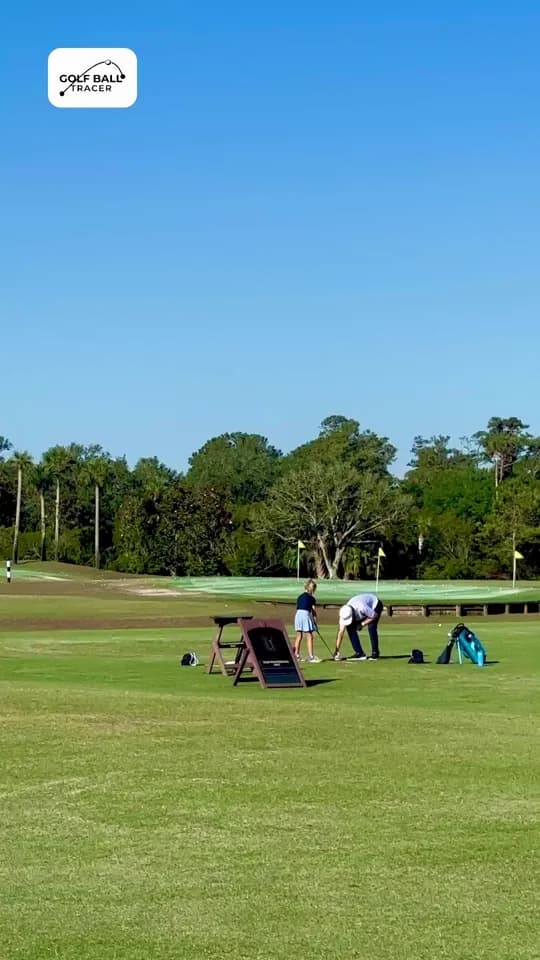
Real export from the app — nothing added afterward.
Map flight synced to the shot
The ball marker moves across the satellite map at the exact moment your ball flies — impact, apex, landing.
How it works
Three taps, one export. No drawing, no waiting on AI, no confusion.
Record or Import
Capture a new swing inside the app, or pull in any video from your camera roll. The native camera is built for fast capture.
Tap Impact, Apex, Landing
Scrub the timeline to each moment and tap the ball — add extra points for curving shots. Use the aim reticle when your finger covers the ball; it's a built-in crosshair joystick.
Style It Up
Pick from 14 trace styles, set fade or draw, then add overlays — scoreboard, course map, ball-data card, flight callouts, or a scorecard.
Frame and Export
Choose 9:16, 1:1, 16:9, or original, and render a clean native MP4 — ready for camera roll, Reels, TikTok, or YouTube.
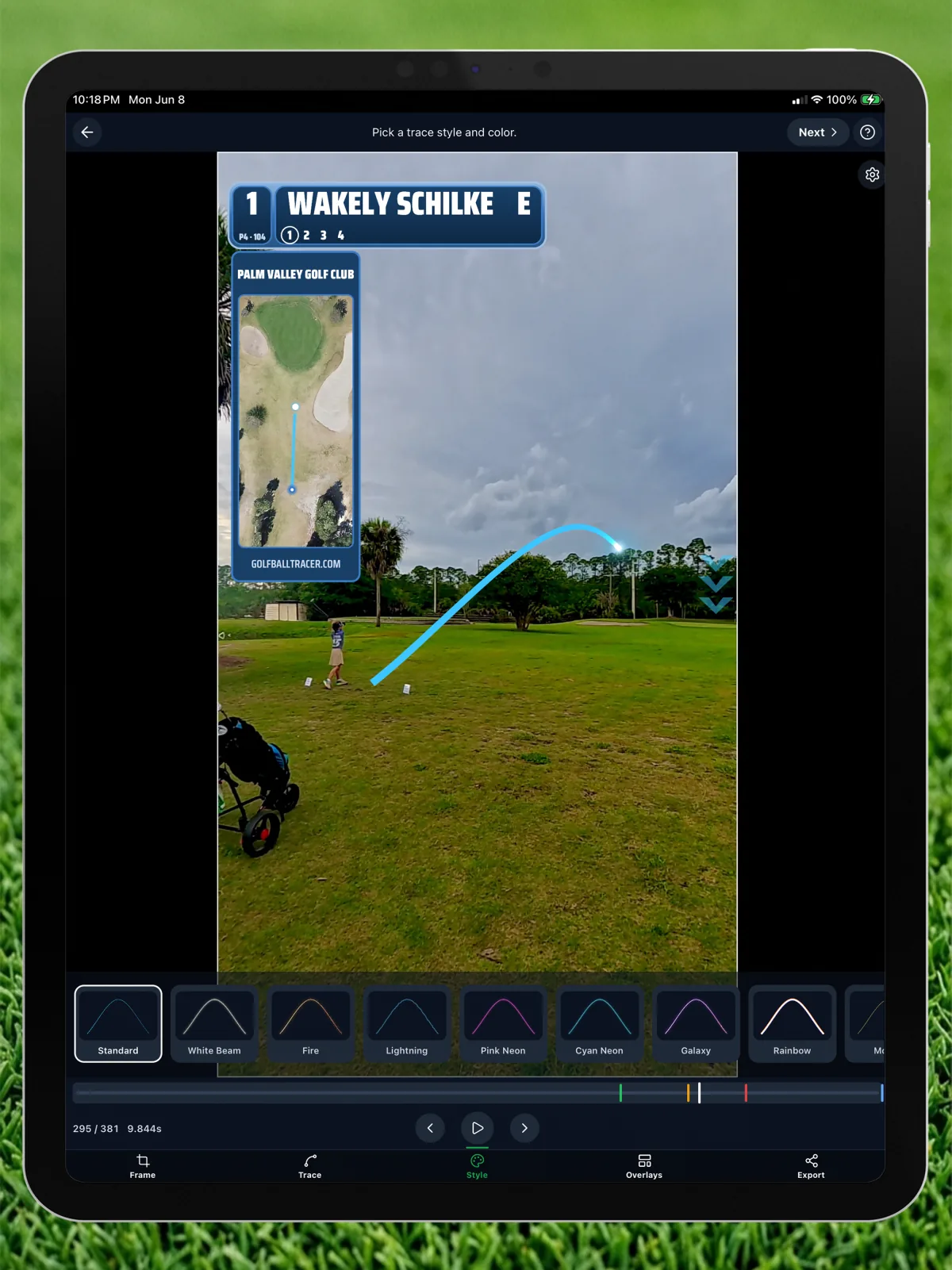
14 ways to trace a shot
Every style is free, every style is tunable — color, glow, stroke width, end taper, and how much of the arc reveals.
Standard
Clean tapered line in any color you pick.
White Beam
Bright white beam with a soft halo — the TV look.
Fire
Orange-to-red gradient with a hot glow.
Lightning
Jagged yellow bolt with electric energy.
Pink Neon
Saturated magenta glow with pulsing landing chevrons.
Cyan Neon
Electric cyan glow — broadcast hype energy.
Galaxy
Purple-pink gradient with sparkle dots.
Rainbow
Full-spectrum gradient sweep.
Money
Cash green with falling dollar signs.
Comet
Bright head with a long fading tail.
Ghost
Translucent white for a subtle trail.
Pixel
Stepped 8-bit retro arcade vibes.
Sketch
Hand-drawn wavy stroke for a casual feel.
Fire & Ice
Orange-to-blue split that fades mid-flight.
Specialty styles (Fire, Galaxy, Comet, Ghost, Money) ship with signature colors. Pick a new color and they smoothly switch to an accent-derived look.
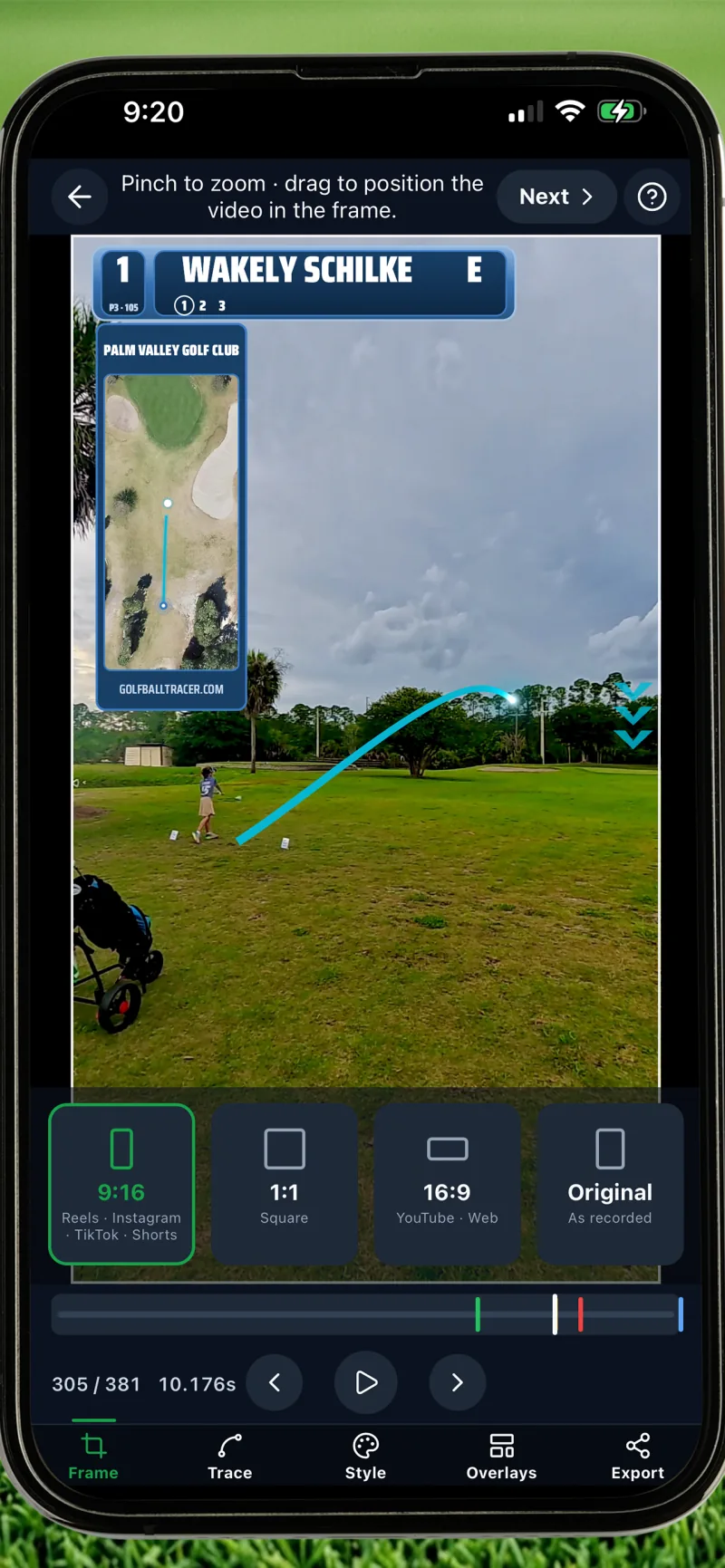
Sized for every feed
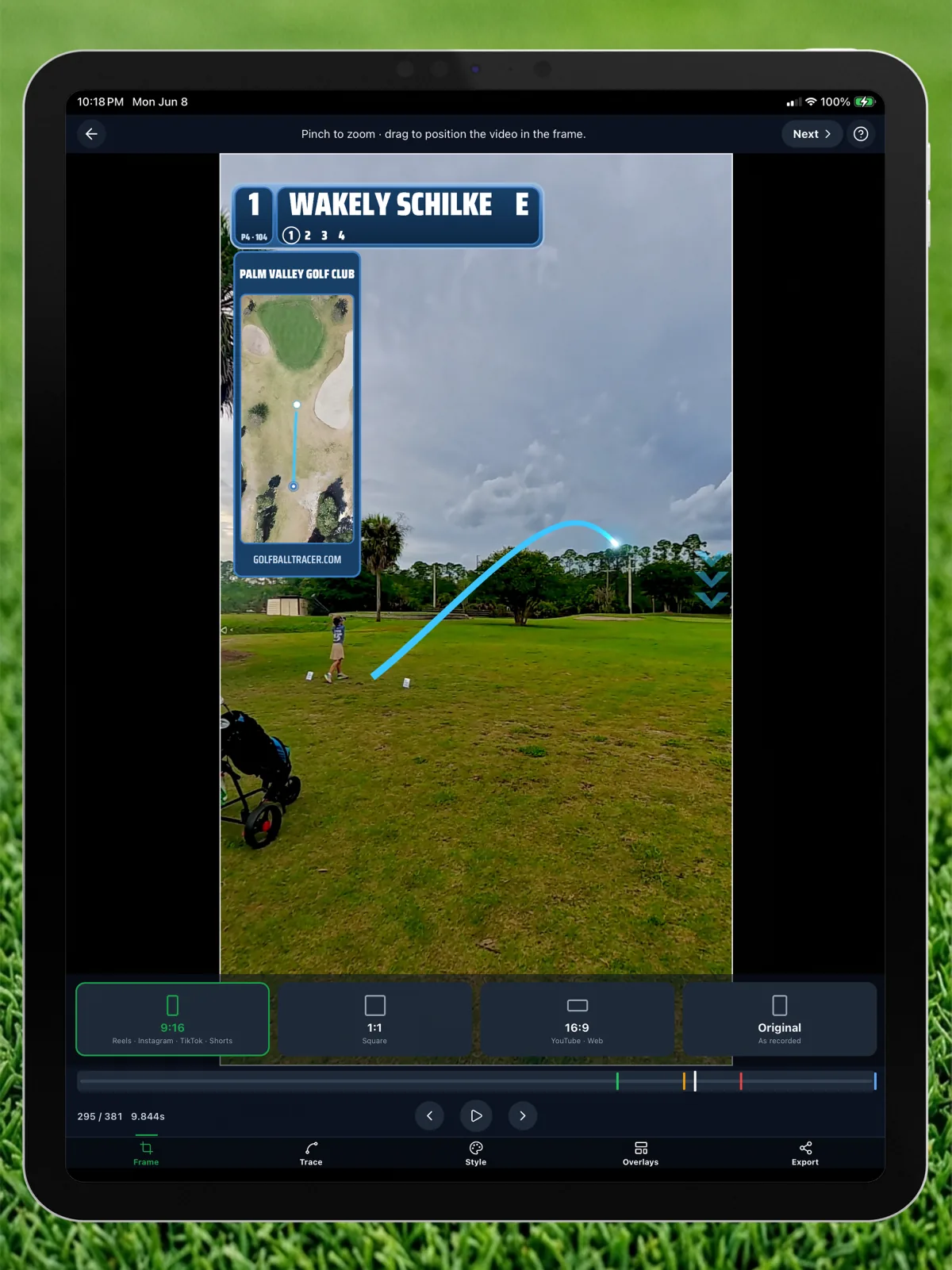
One tap to reframe. Pinch to position the crop. Export a native MP4 ready to post — no cropping in another app.
9:16
Reels · TikTok · Shorts
1:1
Feed posts
16:9
YouTube · Web
What's in the app
Everything you need to trace, customize, and share — with nothing held behind a paywall.
Broadcast Scoreboard
A Tour-telecast scorebug baked into your export: photo, name, color-coded score to par, hole, par, strokes. Drag it, resize it, theme it.
Course Map Flight Path
A bird's-eye satellite panel of the hole with a pulsating ball that traces your shot in sync with the video.
Social-Ready Framing
One-tap 9:16 for Reels, TikTok and Shorts, 1:1 for the feed, 16:9 for YouTube, or original — pinch to position the crop.
Three-Tap Tracing
Tap the ball at impact, apex, and landing — the app fits a smooth, natural arc through your three points. Add extra points for tricky curves. No drawing, no AI failures.
Pan-and-Follow Tracing
Most tracers need a locked-off tripod. Golf Ball Tracer auto-detects a panning camera and pins the trace to the world as the camera follows the ball — so handheld, panning footage just works. (iOS)
14 Trace Styles
Standard, White Beam, Fire, Lightning, Pink Neon, Cyan Neon, Galaxy, Rainbow, Money, Comet, Ghost, Pixel, Sketch, Fire & Ice. Tune color, glow, width, and reveal.
Shot Shape Control
Dial in fade or draw with a lateral-bend slider — plus a separate hang-time slider for the apex — so the trace curves the way your real ball flight did.
Multi-Point Flight Paths
Three taps handle most shots — but for a big slice or a hook that doubles back, drop extra waypoints so the curve passes exactly through every point of the flight.
Putt Mode
Skip the trace for putts and short game — keep the scoreboard and course-map overlays on any clip.
4 Target Markers
Mark the landing zone with a chevron, pin flag, photo circle, or pulsing arrows. Each is customizable in size, color, and label.
Timing & Transitions
Give every overlay its own appear and disappear timestamps and enter/exit animations — fade, slide, or roll — plus mid-clip hide windows and opacity. Pro-level polish, no editing app.
Frame-by-Frame Precision
Scrub the timeline at native FPS and snap each puck to the exact frame — with a joystick crosshair so your finger never covers the ball.
Works Offline
Every step — recording, scrubbing, tracing, exporting — happens entirely on-device. Your videos never touch the cloud.
HDR-Aware Native Export
Hardware-accelerated MP4 export that preserves your phone's color and dynamic range, with orientation correction and overlays baked in.
100% Free Forever
No ads. No subscriptions. No in-app purchases — ever. Every feature is free for every user on every device. The only thing we add is one small GolfBallTracer.com logo on your export.
See it in action
Real screenshots from the app — trace, scoreboard, course map, export.
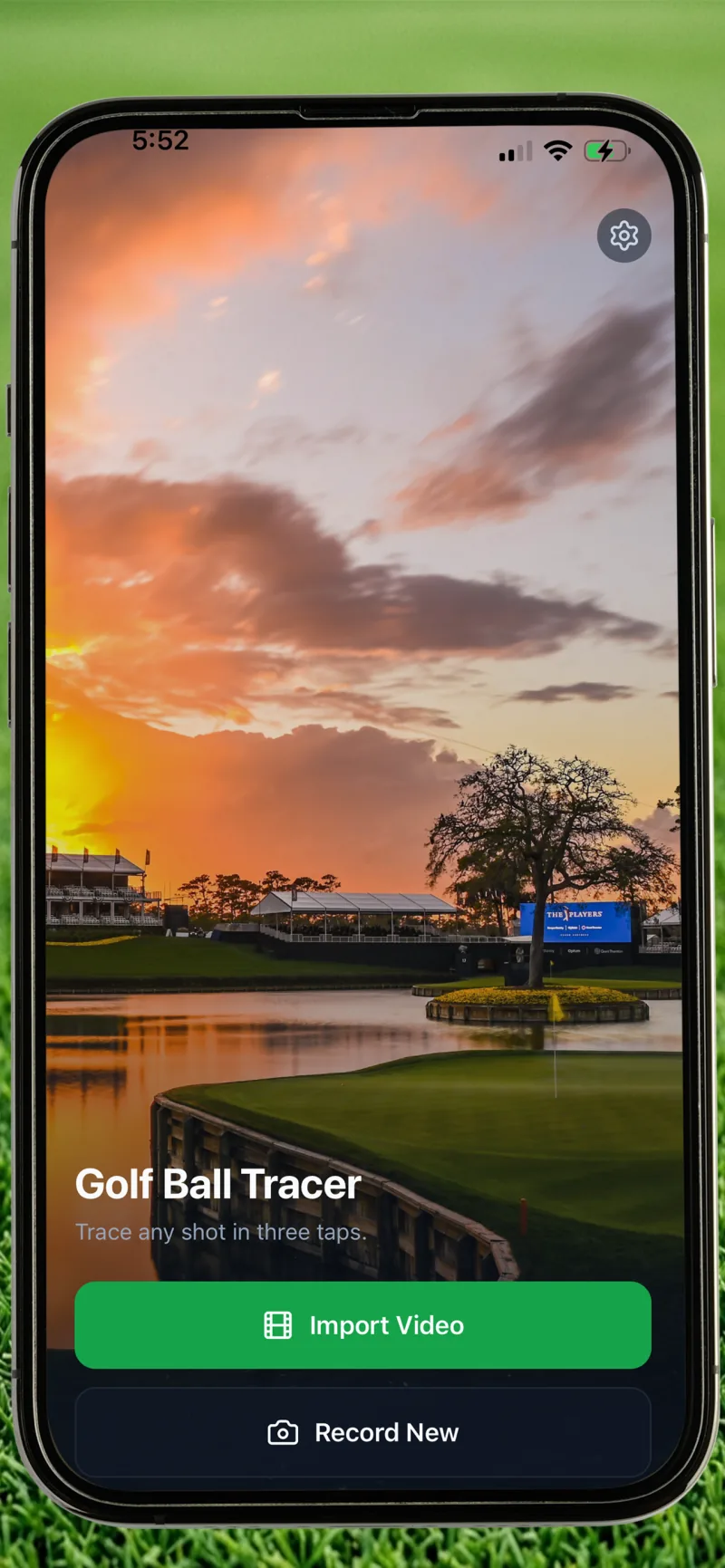
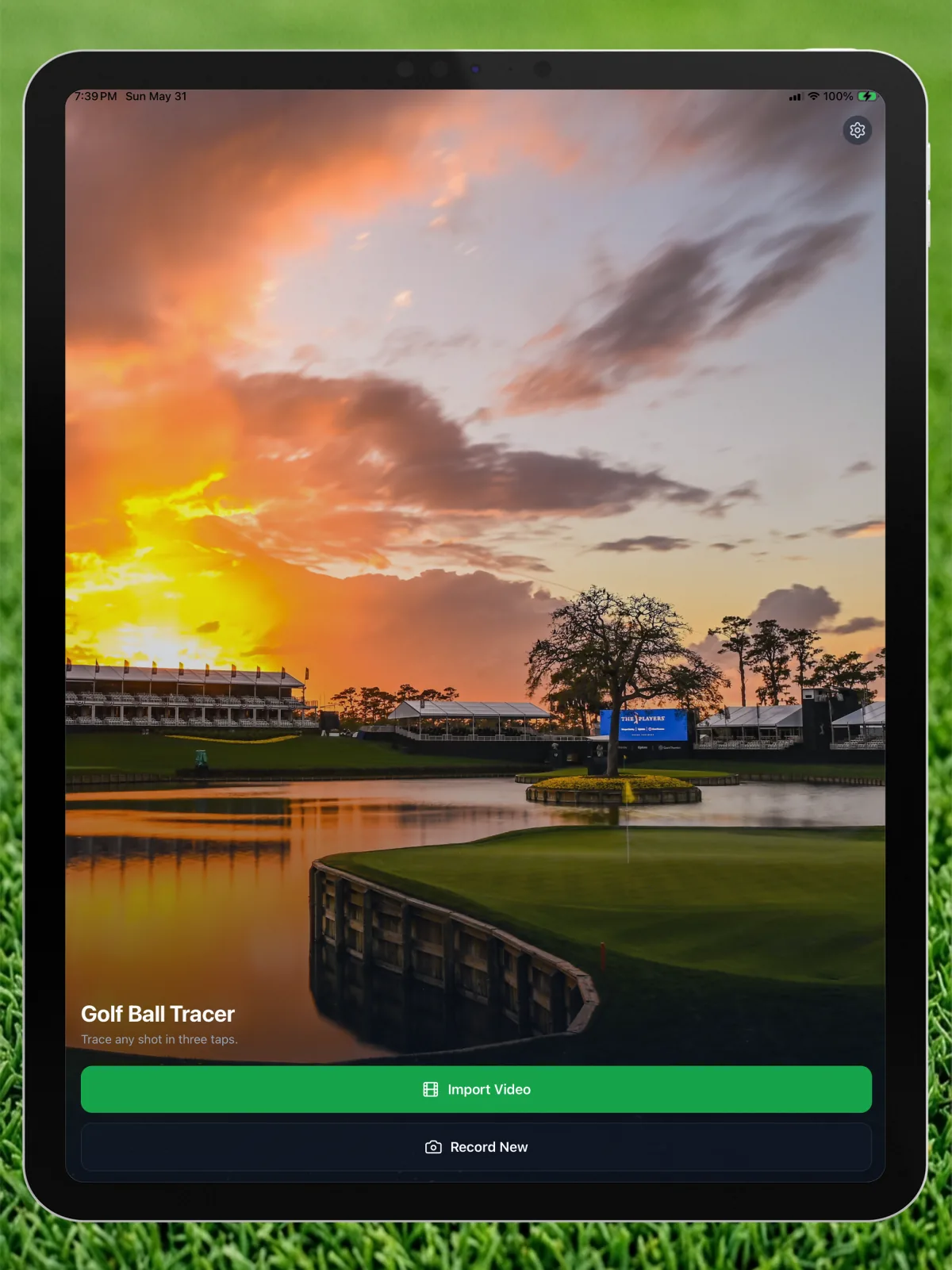
Home
Import a video or record a new swing.
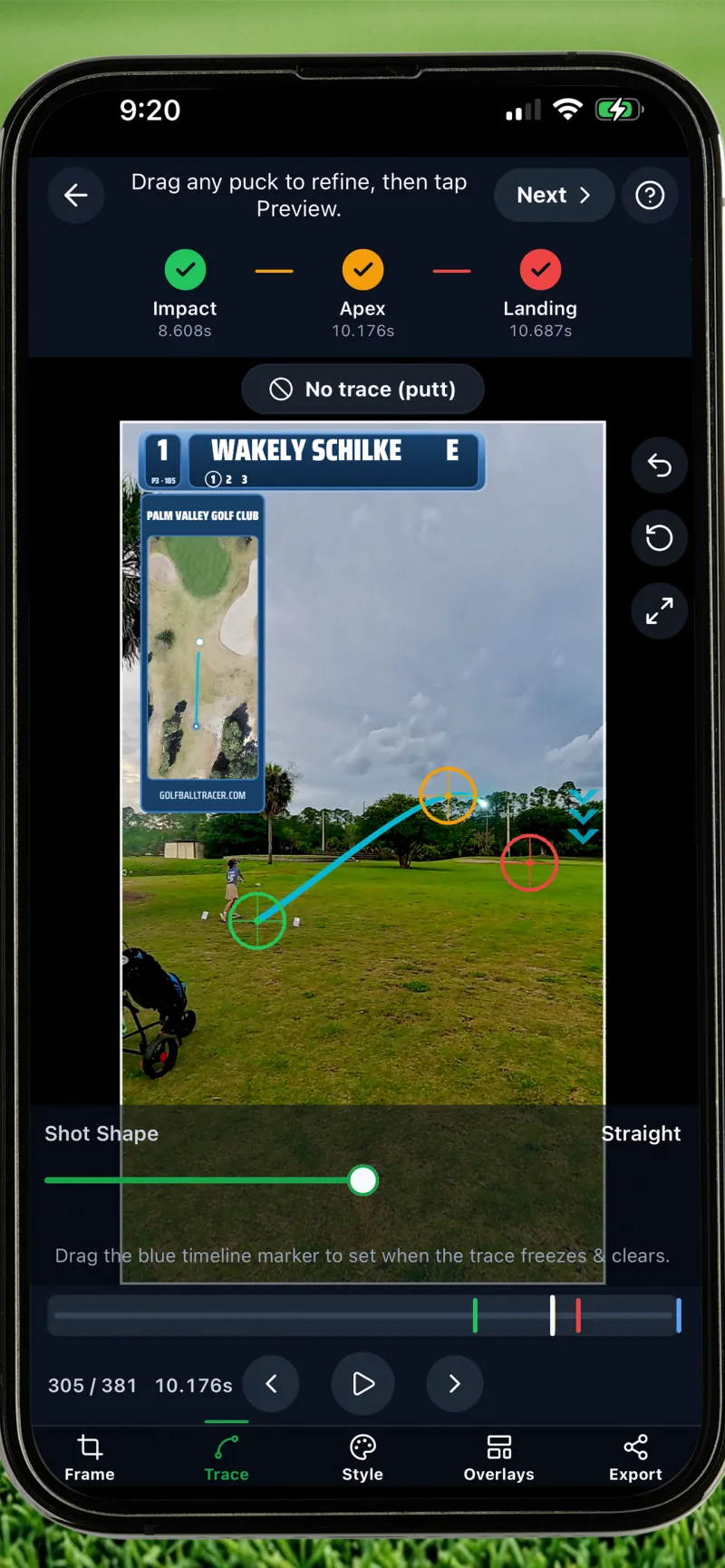
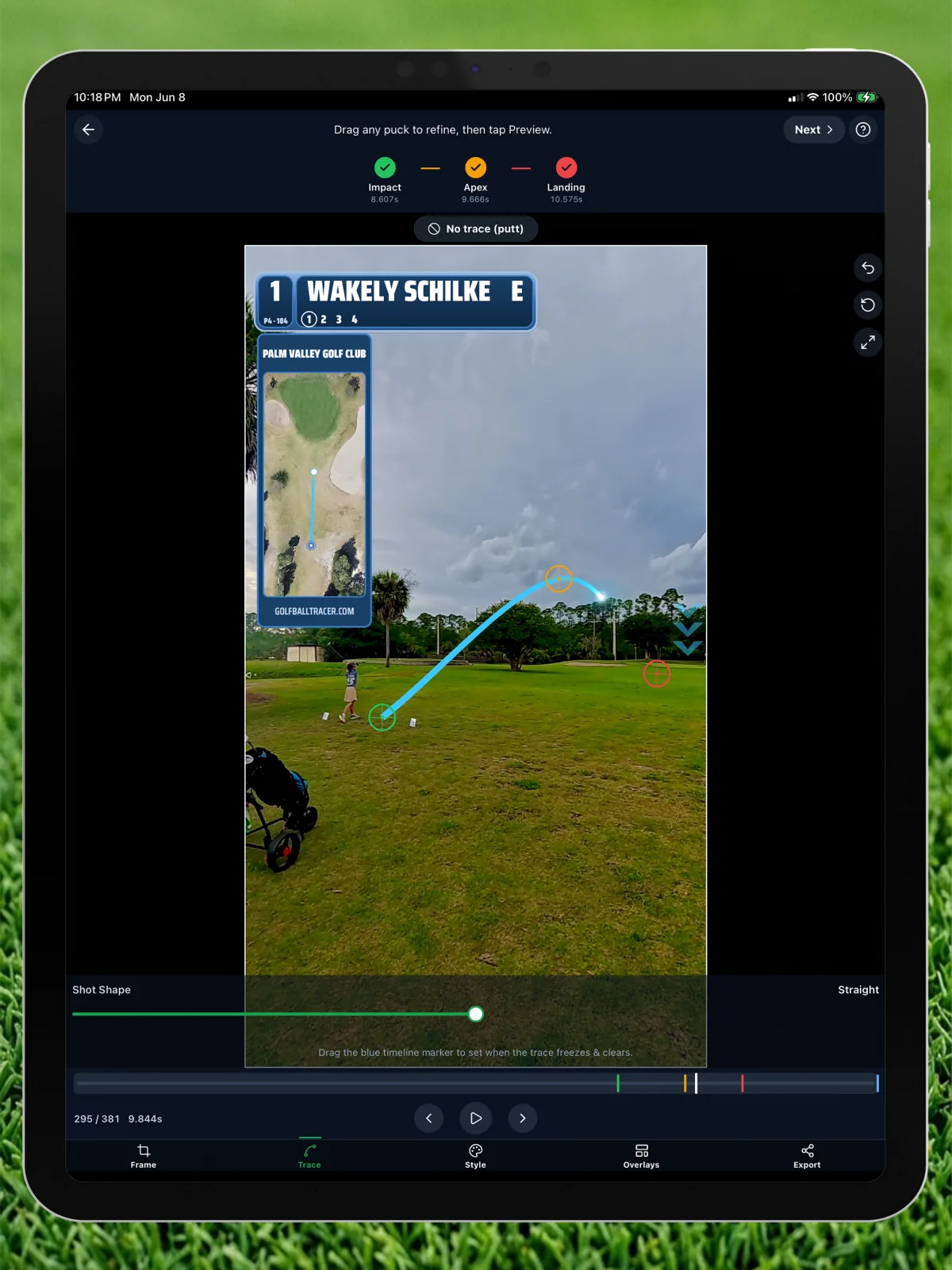
Tap impact, apex, landing
Drag any puck to refine, set fade or draw, or switch to putt mode.
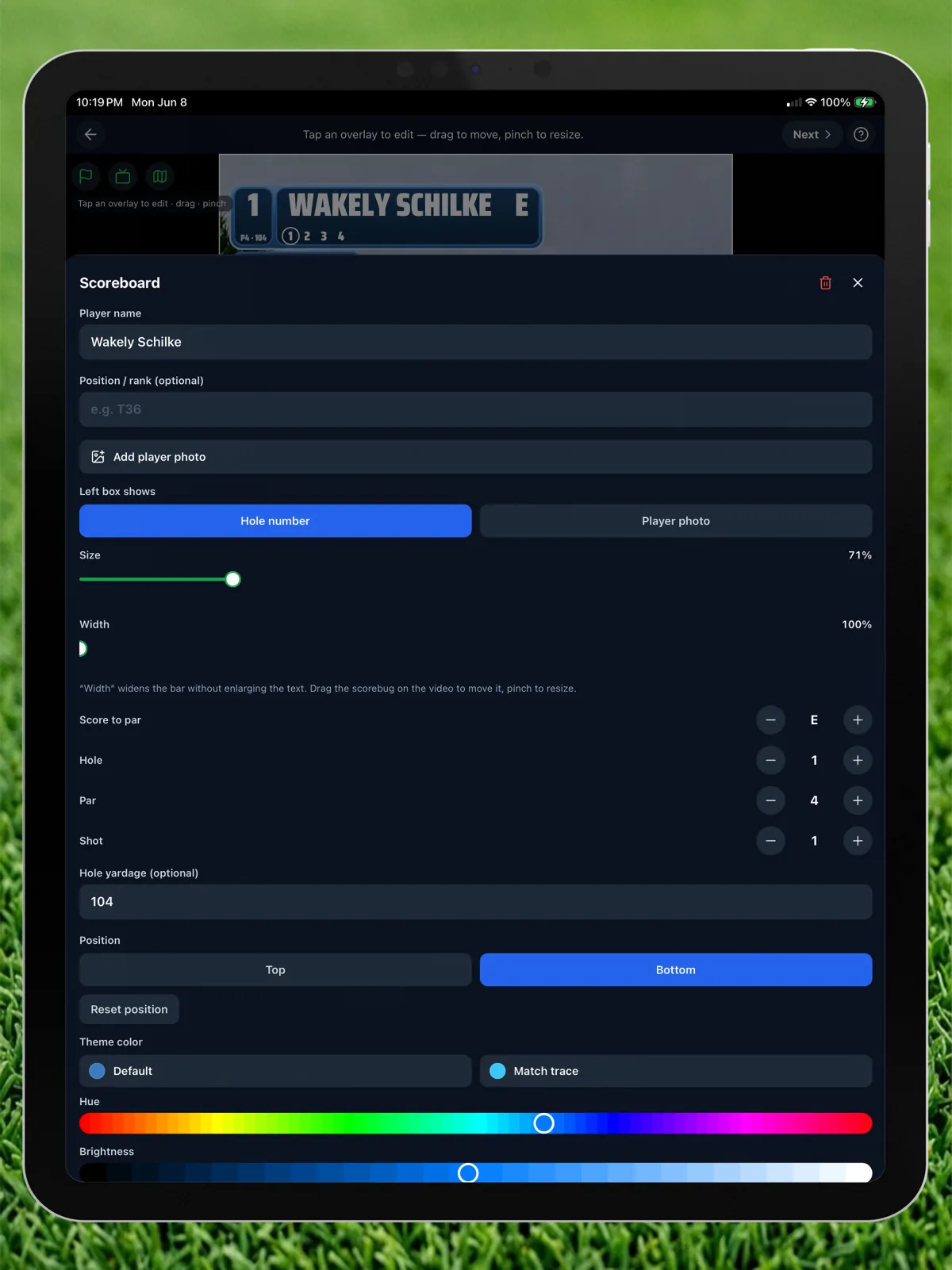
Broadcast scoreboard
Your name, photo, score to par, hole, par, and strokes — sized your way.
Course map flight
Tap impact, apex, and landing on the satellite map to sync the flight.
Map theming
Crop, rotate, and theme the hole map to match your trace.
Frame for any feed
9:16 for Reels and TikTok, 1:1, 16:9 for YouTube, or original.
Built for iPad too
The same three-tap workflow, with more room to work on the bigger screen.
Built by a weekend golfer

Randolph Schilke
Creator & Developer of Golf Ball Tracer
This whole thing started with my daughter. She picked up golf, and I found myself filming every range session and round, wanting to capture her shots the way you see them on TV. The existing tracer apps either charged a monthly subscription or needed perfect lighting for their AI to find the ball.
So I built the app I actually wanted for us — a simple three-tap tracer that works on any clip, looks great, and costs nothing. No ads, no subscriptions, no payment info — ever. The only thing it adds is one small logo on the export. I made it for every person and every family who just wants to celebrate a good shot together. Completely free, for everyone.
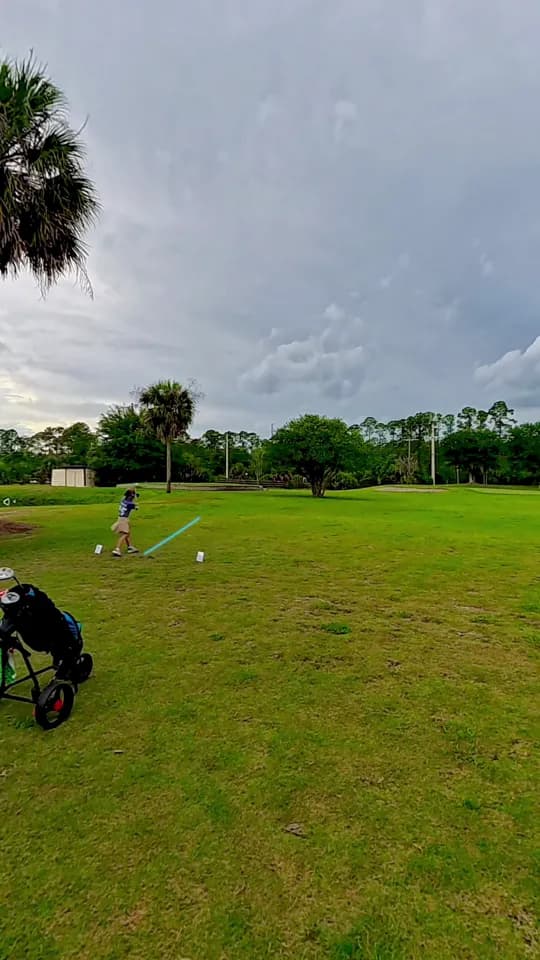
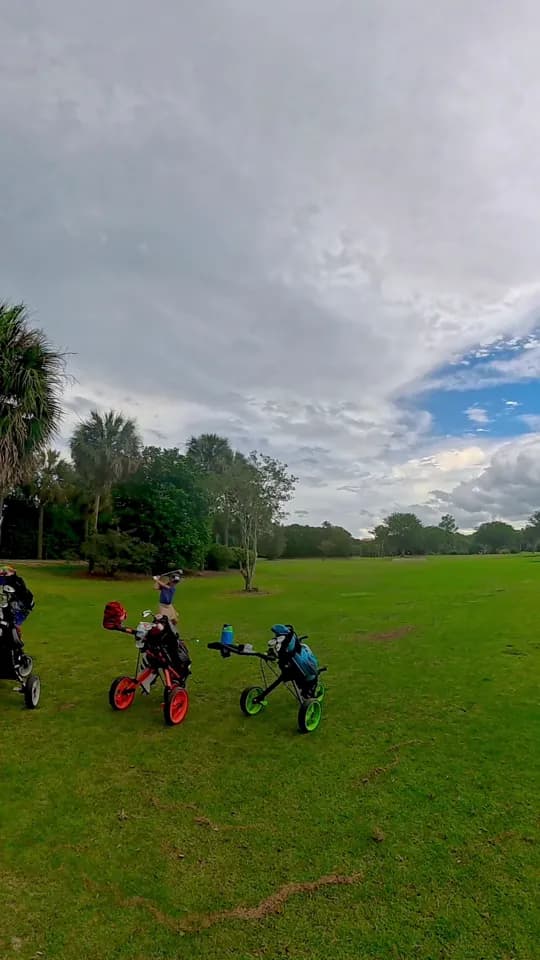
These are my daughter's real shots, traced right in the app:
Free. Forever. Everything.
No subscriptions. No in-app purchases. No tier locked behind a paywall. Every feature is included for every user.
Golf Ball Tracer
Every feature, every style, every target.
- Broadcast scoreboard overlay
- Course map flight panel
- Ball data card overlay
- Flight callout badges
- Scorecard overlay
- Social export presets (9:16 · 1:1 · 16:9)
- All 14 trace styles
- All 4 target markers
- Shot shape control (fade / draw)
- Multi-point flight paths
- Pan-and-follow tracing
- Overlay timing & transitions
- Putt mode
- Unlimited shots
- Full-resolution video export
- HDR-aware export
- Frame-by-frame editing
- Aim reticle precision tool
- Offline processing
- Just one small GolfBallTracer.com logo
- No ads
- No payment info ever required
Every export carries one small GolfBallTracer.com logo — in the corner, or tucked inside the scoreboard, map, scorecard, or ball-data panel when you use one. That's the only catch: no ads, no subscriptions, ever.
Why is it free?
All video processing happens on your phone, so there's no cloud server to pay for. It's a passion project from an indie developer who got tired of paying for shot tracers that stopped working when the lighting wasn't perfect.
Make Golf Channel quality shot videos
Broadcast scoreboard, course map, ball-data card, flight callouts, and scorecard. Fourteen trace styles. Export sized for Reels, TikTok, or YouTube. No ads, no subscriptions, no in-app purchases. Live now on iOS and Android.
Free on iOS and Android. No ads, no subscriptions, no in-app purchases.
